
How to integrate ShipFlo with Shopify
Automate your daily workflow by connecting your Shopify store to ShipFlo. Install, connect, and start delivering smarter in minutes. Follow these steps to get started quickly.
Step 1: Create the ShipFlo App
- Go to Settings → Apps in your Shopify admin.
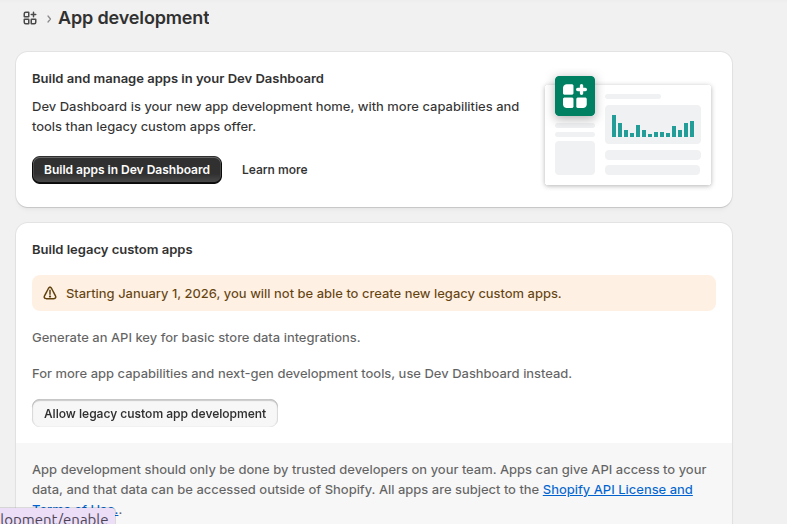
- Click Develop apps for your store.

- If it’s disabled, Shopify will prompt you to enable custom app development.
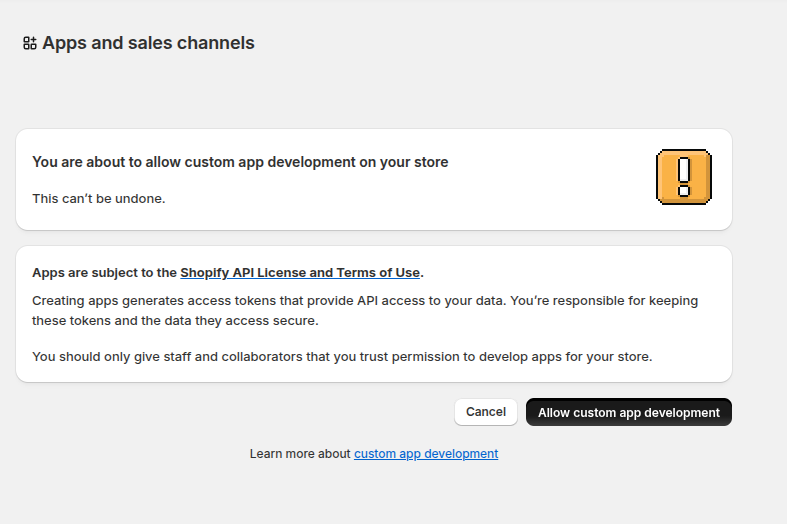
- You’ll see security warnings — accept them to continue.
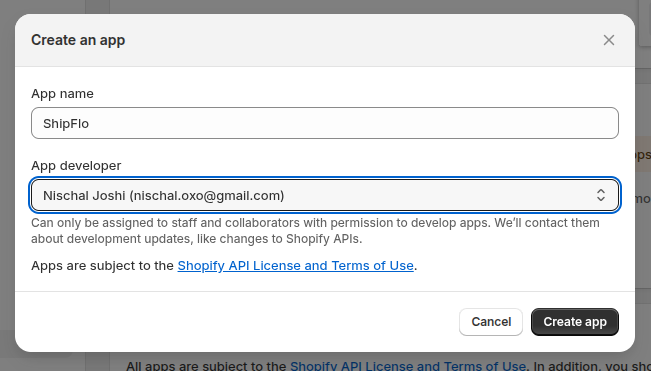
- Click Create an app (or Create a legacy custom app, depending on your store).
- Enter a name and click Create app.
Step 2: Assign API Scopes
- Open your new app.
- Go to Configuration → Admin API access scopes.
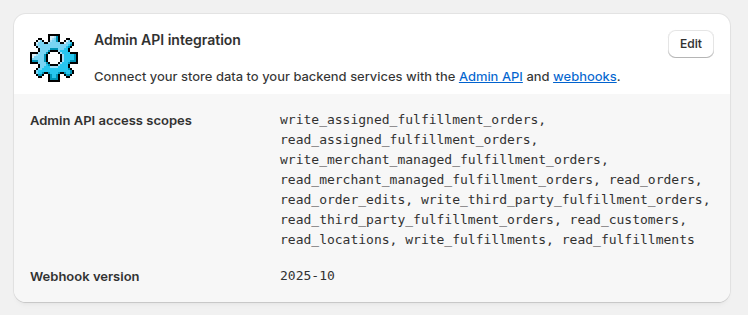
Enable the following scopes:
- write_fulfillments
- read_fulfillments
- read_locations
- write_merchant_managed_fulfillment_orders
- read_merchant_managed_fulfillment_orders
- read_order_edits
- read_orders
- write_third_party_fulfillment_orders
- read_third_party_fulfillment_orders
- read_assigned_fulfillment_orders
- write_assigned_fulfillment_orders
- read_customers
Make sure all required scopes are selected before continuing.
Step 3: Install the App
- Click Install app (top right).

- Shopify will now generate your credentials:
- Admin API access token (permanent)
- API key and API secret
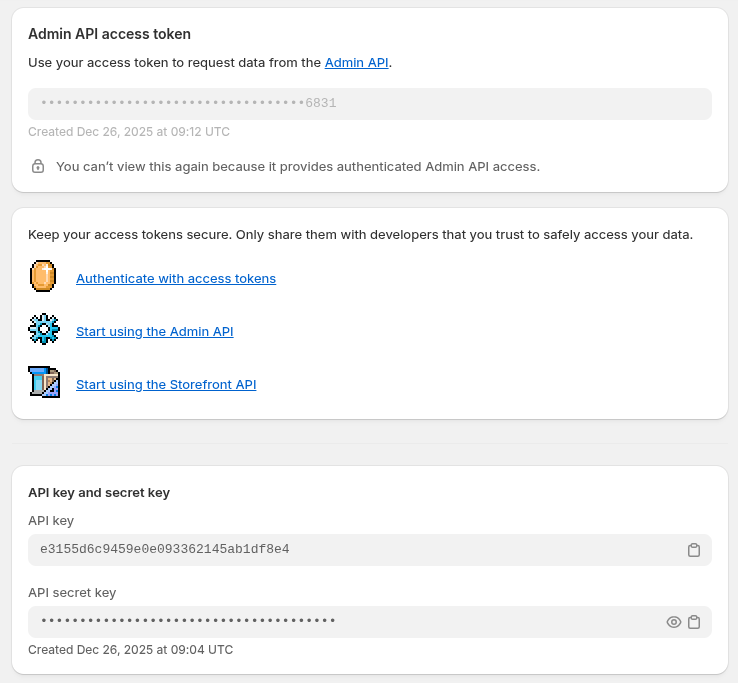
The Admin API token is displayed once. Store it securely — you’ll need it to connect Shopify to ShipFlo.
Step 4: Connect Shopify to ShipFlo
- Log in to your ShipFlo dashboard.
- Go to Profile → Create Platform Config.
- Choose Shopify.
- Enter the following details from your Shopify app:
- Store URL
- API Key
- API Secret
- Admin API Access Token
- API Version: 2025-10
- Click Create Platform Config.
- After saving, click Connect to activate the integration.
Once connected, only new orders with shipping addresses inside ShipFlo’s supported service-area postal codes are auto-synced. Orders outside the service area are intentionally ignored.
ShipFlo is also fully compatible with Zapiet – Pickup + Delivery, a widely used delivery/pickup scheduling app on Shopify.
For help, email contact@shipflo.com with the subject line: Shopify Integration Help.